Redesigning Payroll
Rethinking the end-to-end payroll experience for TriNet's enterprise HR platform — turning a fragmented, error-prone process into a streamlined workflow that gives client admins clarity and confidence.
The situation
Payroll is the highest-stakes workflow on any HR platform. When it breaks, people don't get paid. At TriNet, client admins were running payroll for their organizations using an interface that had been built incrementally over years — functional, but never designed as a cohesive experience.
The problems were structural. There was no central place to see what needed attention. Critical notifications — missing I-9s, tax-exempt status issues, past-due payroll runs — were buried across different screens. Admins had to navigate back and forth between the payroll list, individual employee records, and separate review pages just to complete a single payroll cycle. The cognitive load was high, the process was fragile, and the margin for error was uncomfortably thin.
My approach
I started by mapping the entire payroll workflow from the admin's perspective — not just the screens, but the decisions. Where do they start? What information do they need at each step? Where do they get stuck? I worked closely with our customer-facing teams and product managers to understand what the real failure modes were, not just the feature requests.
What became clear was that the existing experience treated payroll as a sequence of disconnected tasks. Admins were essentially stitching together a workflow in their heads. The redesign needed to do that stitching for them — giving them a clear mental model of where they are, what needs attention, and what comes next.
The dashboard
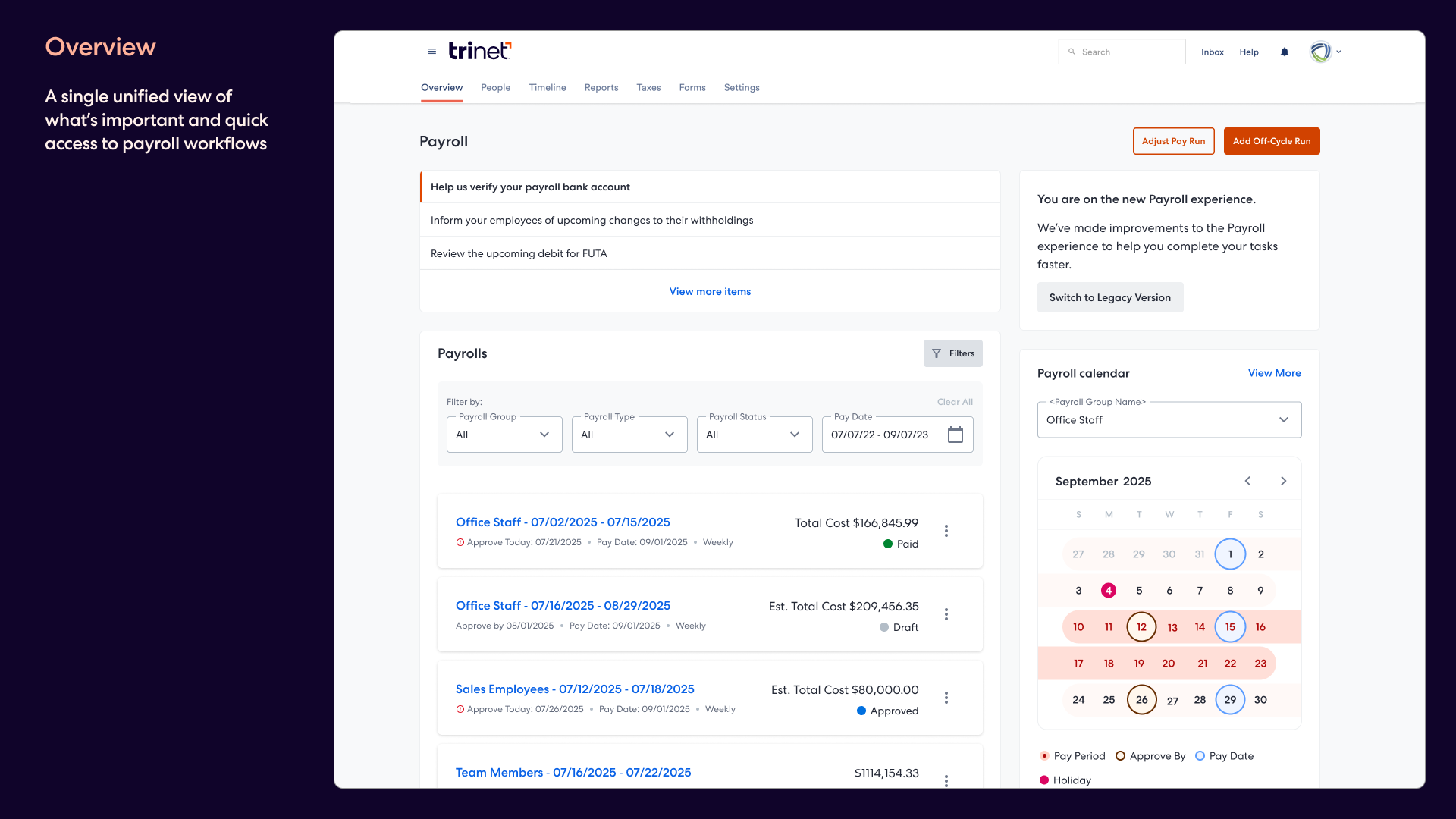
The first thing we introduced was a proper payroll dashboard. Previously, admins landed on a flat list of payroll runs with no context. The new dashboard surfaces what matters first: actionable notifications at the top — missing employee forms, pending tax certifications, overdue payroll runs — each with a direct path to resolve it. Below that, the payroll list shows runs with clear status indicators and key financial details at a glance.
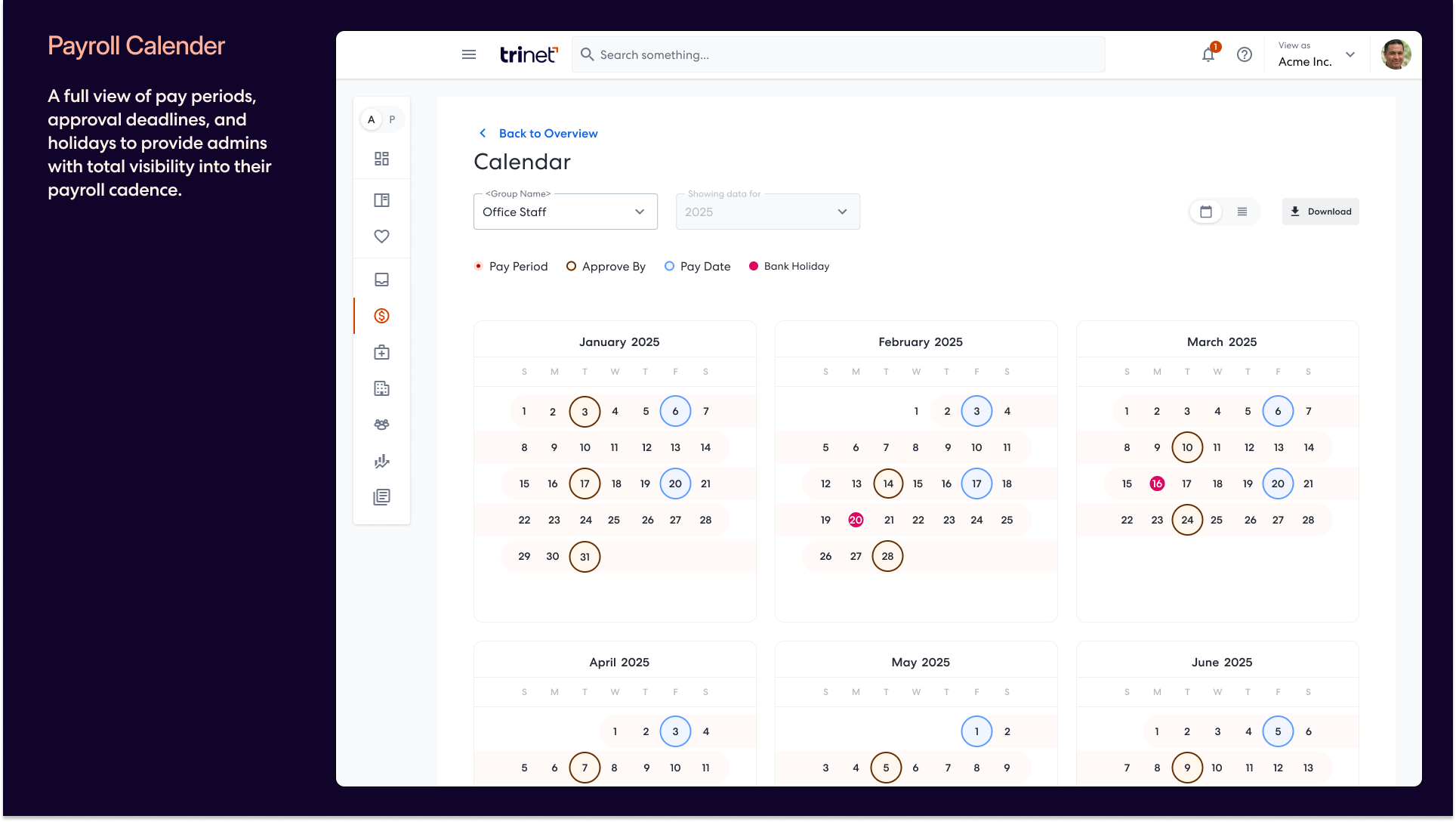
On the right, we added a payroll calendar — a visual timeline showing pay periods, approval deadlines, pay dates, and holidays for the selected payroll group. For admins managing multiple pay schedules, this was the first time they could see their full cadence in one place without switching between views or referring to external spreadsheets.
The entry experience
Payroll entry is where admins spend most of their time, and it's where the old experience fell apart. Editing an employee's pay meant navigating to a separate page, losing context of the broader payroll run, and repeating that process for every exception or adjustment.
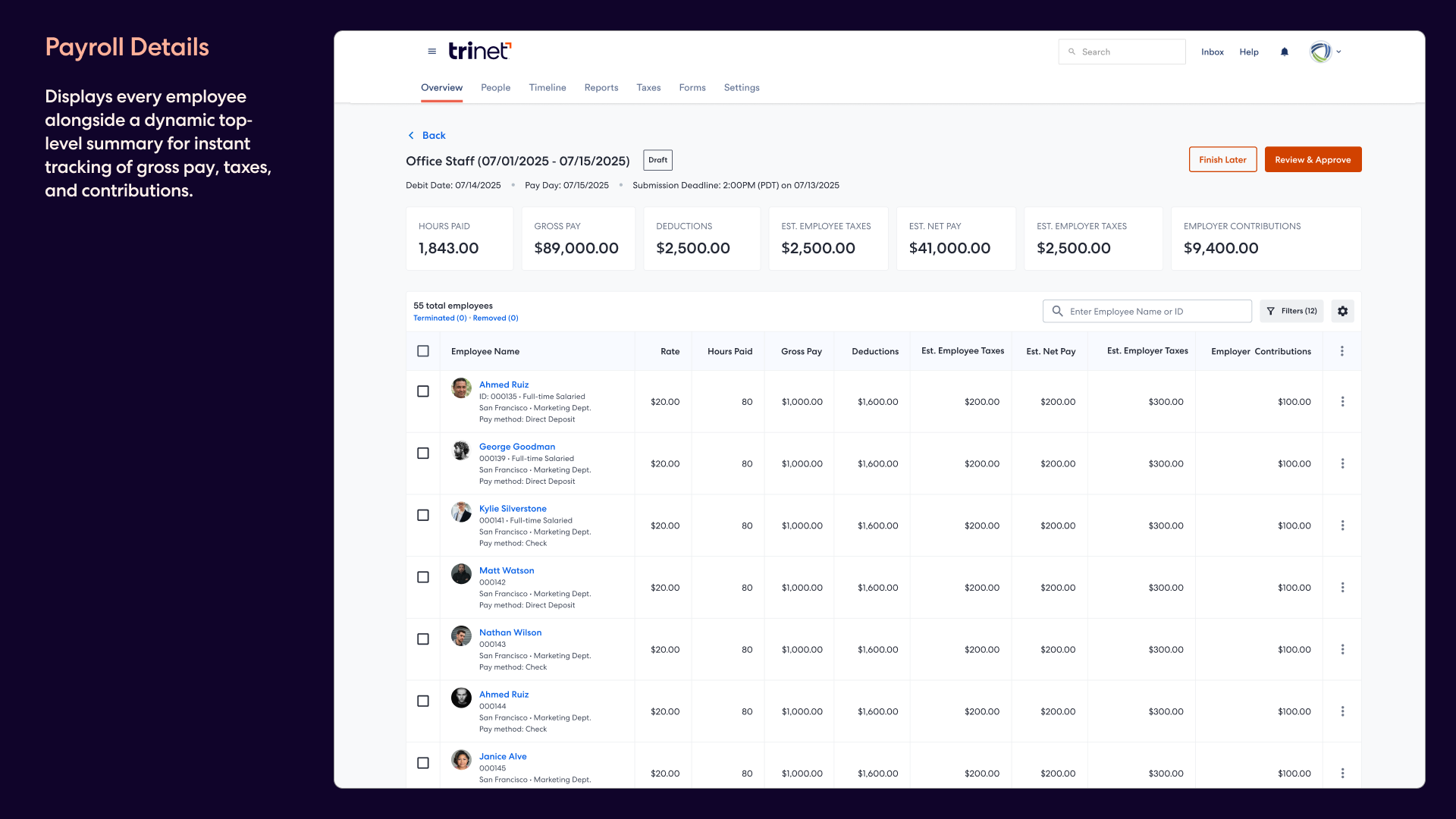
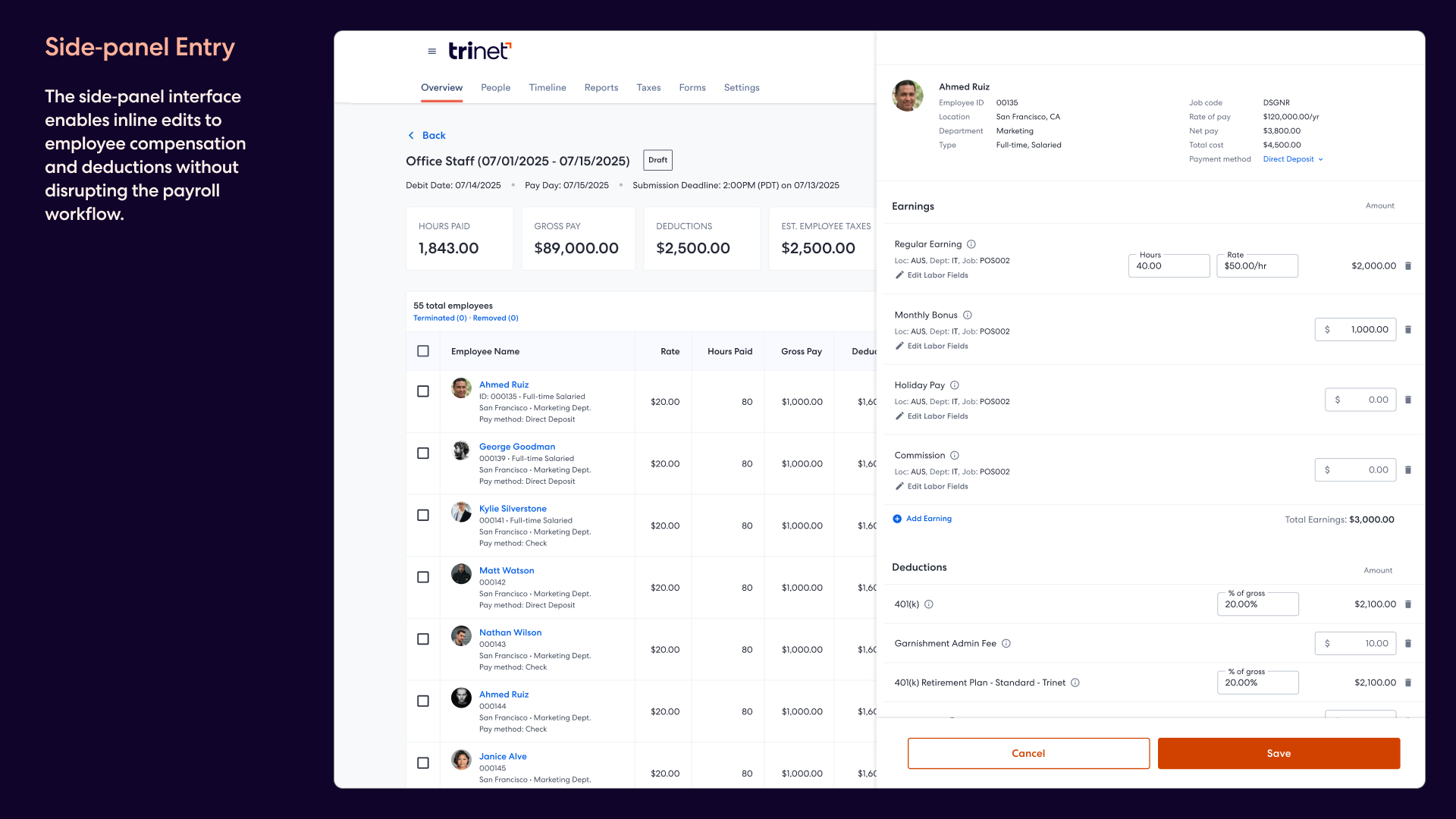
We redesigned it with a persistent data table showing all employees in the payroll run — rates, hours, gross pay, deductions, taxes, and net pay visible without any clicks. When an admin needs to edit an individual, a side-panel drawer slides in with the full breakdown: earnings by type, deductions, custom entries, and commission. The payroll table stays visible underneath so they never lose their place.
Summary metrics across the top — total hours paid, gross pay, deductions, estimated taxes, net pay, employer contributions — update as admins make changes. This gives them confidence that the numbers add up before they move to review.
Review and confirmation
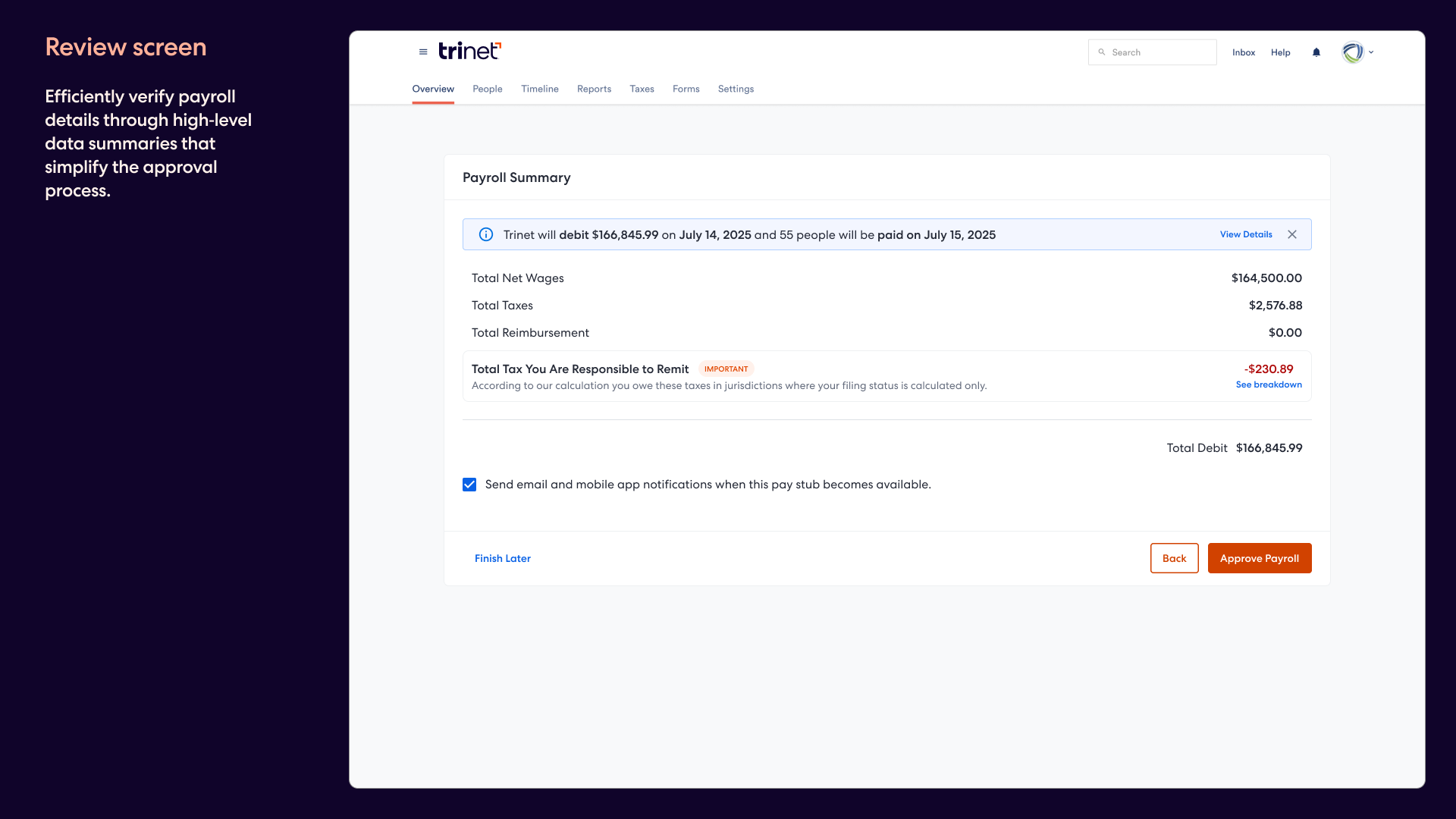
Once admins are satisfied with the payroll data, they move to a clean summary page. The review step strips away the complexity and presents just the numbers that matter: total net wages, total taxes, total reimbursement, and the total debit amount. A clear statement tells them exactly when the debit happens and when their people get paid.
After approval, the dashboard returns with a confirmation banner confirming the payroll was submitted and showing the pay date. It's a small detail, but closing the loop matters — admins need to know it went through, not wonder if they missed a step.
Looking ahead
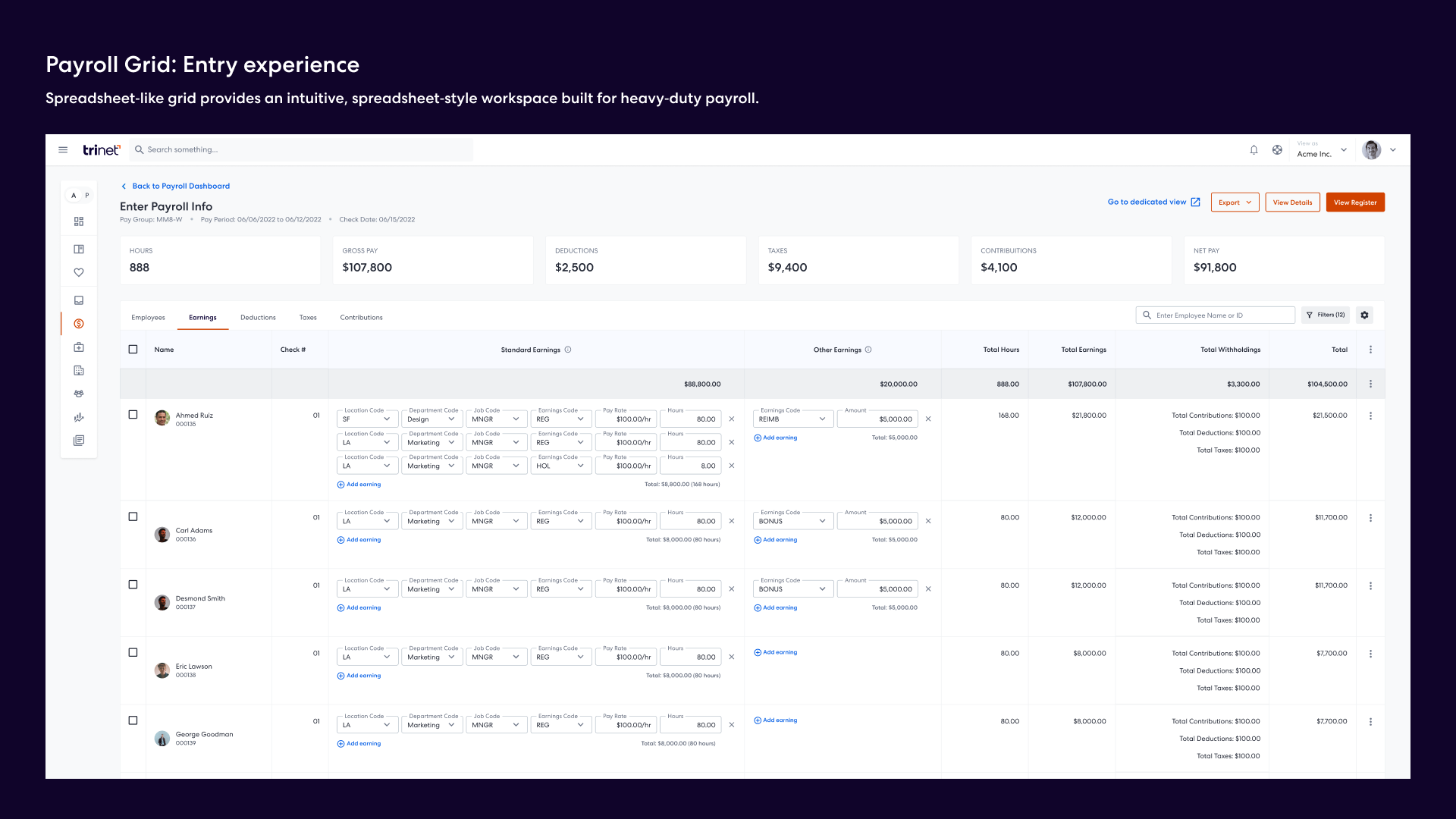
The Spring Release shipped Phase 1, but the work also laid the design foundation for Phase 2: a spreadsheet-like data grid for payroll entry. This future experience brings inline editing directly into the table — admins can adjust pay dates, locations, job codes, earnings, and hours right in the grid without opening a drawer at all. It's designed for power users who process payroll for large organizations and need to move fast.
Phase 1 established the interaction patterns and information architecture. Phase 2 extends them for scale and speed, giving the team a clear direction to build toward.
What came out of it
The payroll redesign shipped as part of the Spring Release and immediately changed how client admins interacted with payroll on the platform. For the first time, they had a single starting point with clear signals about what needed attention, a data-rich but focused entry experience, and a review step that gave them confidence before approving a run.
Beyond the product improvements, this project established a design direction for the most complex domain on the platform. The component patterns, information hierarchy, and interaction models we built became the reference point for other enterprise workflows — and Phase 2 gave the engineering team a clear roadmap for what to build next.